In many manufacturing organizations, KPIs are central to daily management – but still rely heavily on manual updates, spreadsheets, and end-of-shift reporting.
The result is familiar across plants and operations teams:
By the time manufacturing KPIs are reviewed, the data is already outdated.
For professionals focused on daily management, continuous improvement and operational excellence, this creates a critical gap between performance reality and decision-making.
The question is no longer what to measure, but:
How do we ensure KPIs are always current without manual effort?
Across manufacturing environments, KPI tracking often depends on:
This creates three key operational issues:
Research in digital manufacturing consistently shows that real-time data visibility improves responsiveness, decision quality, and operational control compared to manual reporting structures.
In Lean environments, this weakens one of the core principles:
making performance visible and actionable.
Eliminating manual KPI updates does not mean changing Lean principles – it means improving how data flows through them.
The shift is from:
Manual reporting → periodic updates → reactive decisions
to
Automated data capture → continuous updates → real-time action
Digital Lean platforms like DigiLEAN enable this shift by connecting performance data directly to daily management systems.
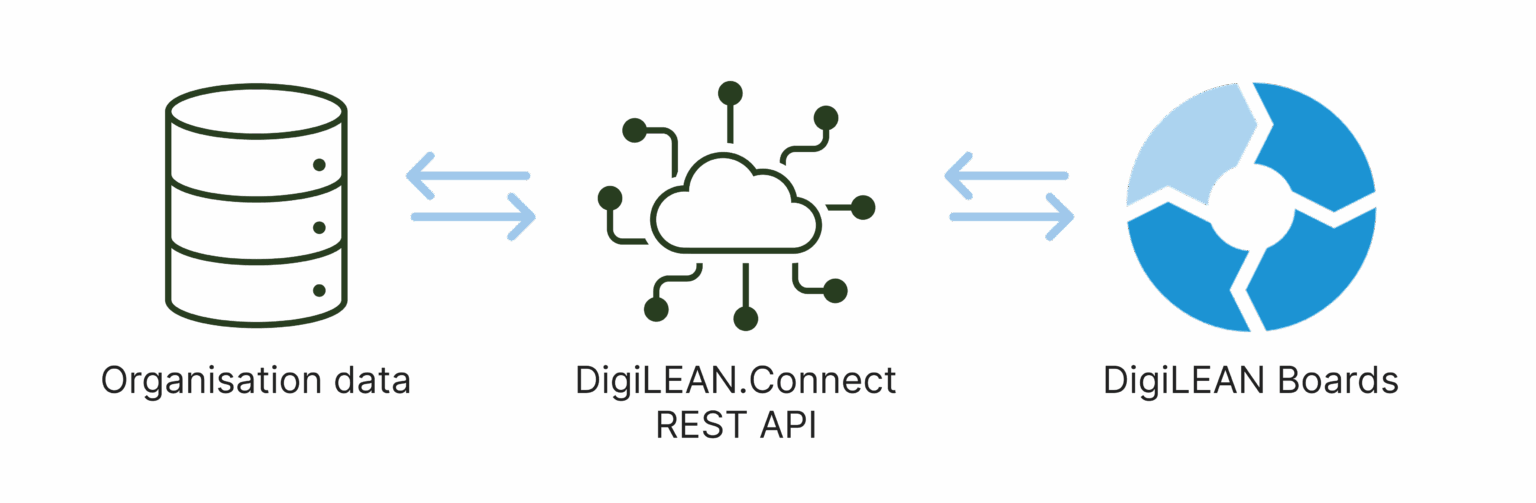
The most effective way to eliminate manual KPI work is data integration.
Instead of entering values manually, KPI data is automatically collected from:
With DigiLEAN’s Data Integration capabilities, KPIs update based on real operational activity – not manual input.
Example from production reality
A team tracks:
Before:
After integration:
The focus shifts from data collection to performance improvement.
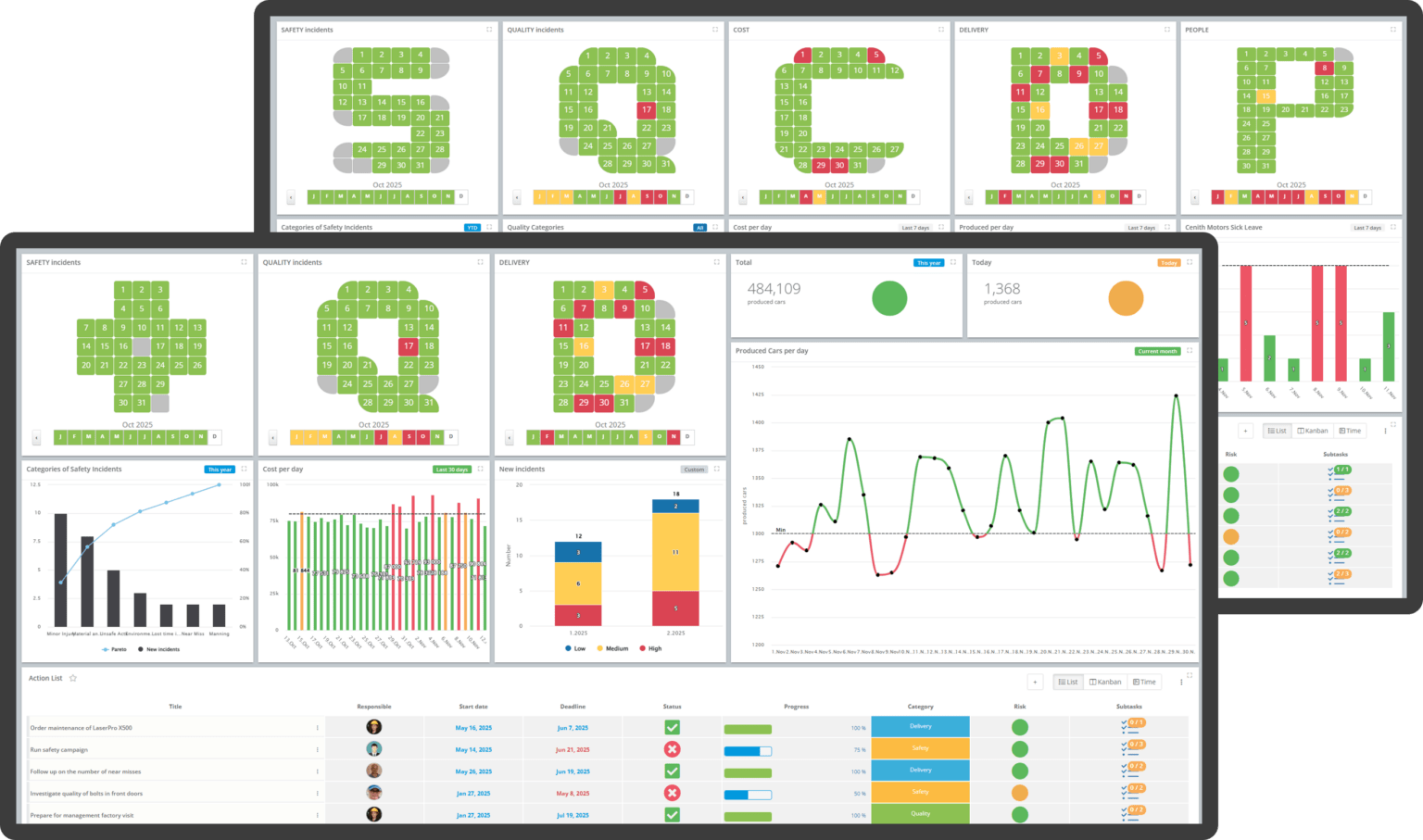
Many organizations still rely on static boards or manually updated dashboards.
While these support Lean visibility, they create ongoing maintenance work and delayed accuracy.
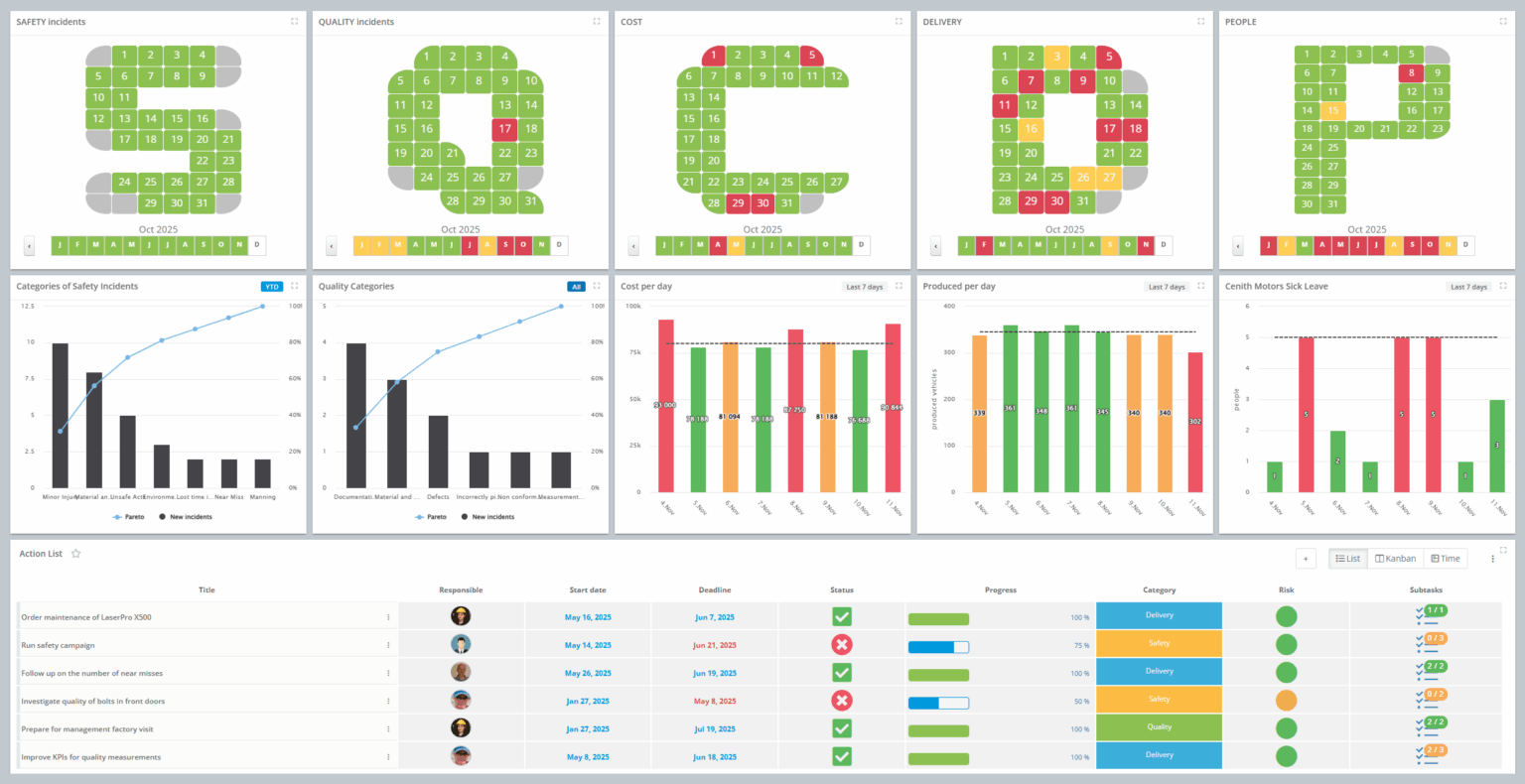
DigiLEAN’s Boards provide live visual management where:
This supports one of Lean’s core principles:
making performance visible where work happens.
Practical impact
Instead of preparing KPI updates before meetings, teams can:
A common challenge in manufacturing is not KPI visibility – but follow-through.
DigiLEAN connects KPI insights directly to structured execution through:
This ensures that KPI signals do not stay as numbers – they become actions.
Example
A KPI shows increasing scrap levels in a production line.
Instead of only discussing it in meetings:
Over time, KPI trends reflect the impact of improvements.
In many organizations, improvement ideas are lost between meetings and documentation.
With DigiLEAN’s Improvements module, ideas are:
Example in daily operations
During a shift discussion:
This eliminates delays between identification and action.
Manufacturing performance is not managed from one place- it requires access across roles.
DigiLEAN’s mobile app ensures that:
This supports faster response times and stronger operational alignment.
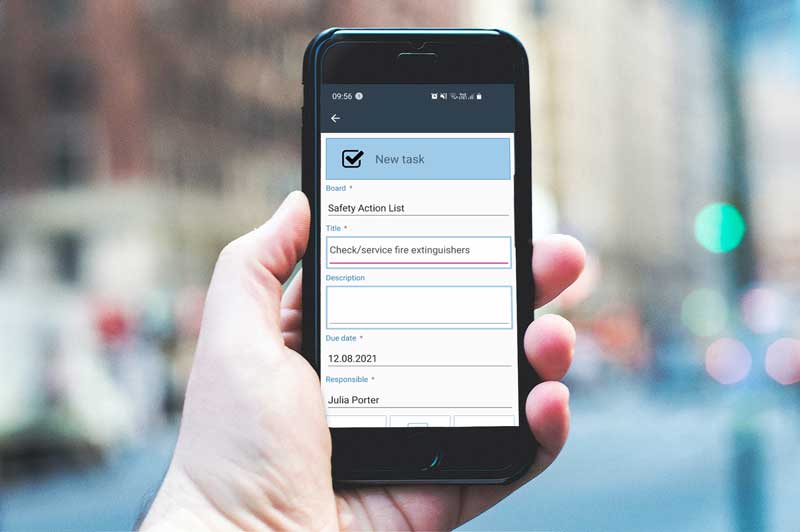
Manufacturing data often includes sensitive operational information such as production performance, quality metrics, and incident data. If this data is inconsistent or insecure, it can directly impact decision-making and operational trust.
DigiLEAN supports enterprise-ready integration, including compatibility with tools such as Microsoft Teams and other existing IT environments. This enables organizations to connect KPI data across systems while maintaining control and traceability.
In addition, DigiLEAN is ISO 27001 certified, which confirms that its information security management system follows internationally recognized standards for protecting data, managing risk, and ensuring secure handling of information.
This ensures:
In manufacturing environments where decisions are time-critical, trust in data integrity is non-negotiable.
The shift is not about having “better dashboards.”
It is about changing how daily operations work:
Before:
After:
This is what digital Lean enables:
KPIs become part of the operational system – not a reporting activity.
For manufacturing leaders, the goal is not to spend less time on production KPIs – it is to make them more useful in daily operations.
When KPI data is automatically updated, connected, and acted on through a structured Lean system, teams shift from reporting performance to improving it continuously.
That is where tools like DigiLEAN create value:
not by adding dashboards, but by removing manual work and connecting Lean workflows into one system of execution.
DigiLEAN is designed to support existing Lean practices rather than replace them abruptly. Organizations can start by digitizing selected areas such as KPI boards, improvements, or incident tracking, and gradually expand usage. This allows teams to transition from manual tools (e.g., whiteboards or spreadsheets) to digital workflows at a pace that fits their operational maturity.
Integration complexity depends on the current IT landscape, but DigiLEAN is built for enterprise environments where multiple systems need to interact. The platform supports integration with existing IT systems through standard connectivity options, enabling KPI data to flow automatically without requiring manual data consolidation. Many organizations start with a few key KPIs and expand integrations over time.
DigiLEAN enables shared visibility across teams, departments, and locations through its centralized platform. KPIs, improvements, and incidents are accessible to relevant users regardless of location, supporting alignment between production, quality, and continuous improvement teams. This reduces fragmentation and ensures everyone works from the same operational picture.
Most organizations start with operational KPIs that are already being tracked manually but have high daily impact. Common examples include OEE, production output, downtime, scrap rates, and safety-related indicators. These KPIs provide immediate value when automated because they directly support daily decision-making and highlight deviations that require action.
You can watch DigiLEAN intro video to learn more, book a demo to walk through the workflow with an expert, or see the platform live by starting a free trial and exploring it yourself.