Continuous improvement is at the heart of every high-performing manufacturing operation. Yet, many plants still rely on manual systems – whiteboards, spreadsheets, printed checklists – that limit visibility, slow decision-making, and create inefficiencies.
This article explores how organizations move from manual workflows to a fully digital continuous improvement flow, what changes in daily operations, and how tools like DigiLEAN enable measurable impact.
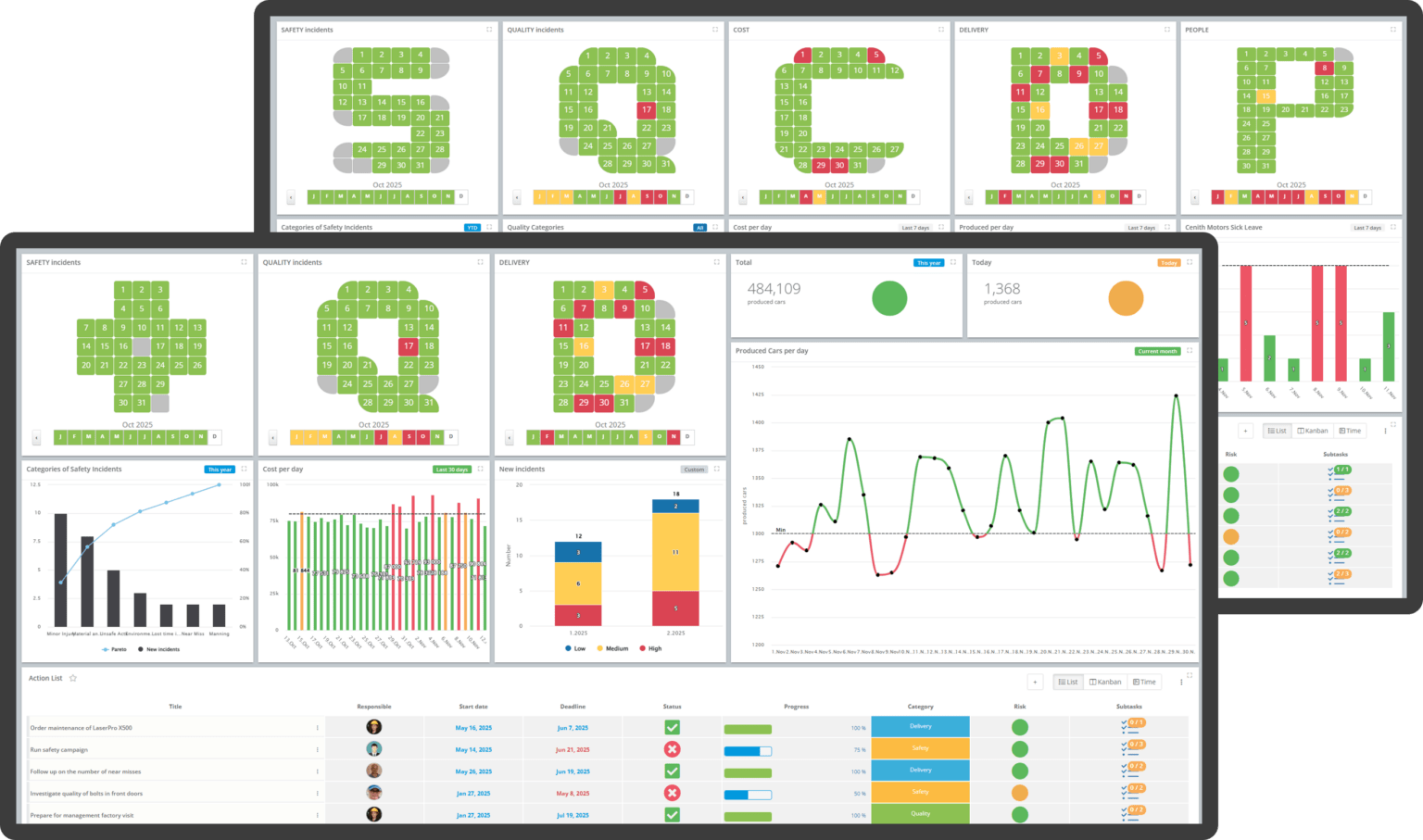
Manual systems are simple to start – but difficult to scale.
| Area | Manual Approach | Impact on Operations |
|---|---|---|
| Data tracking | Whiteboards / Excel | Data delays, human error |
| Accountability | Verbal follow-ups | Tasks get lost or forgotten |
| Visibility | Local boards | No cross-department overview |
| Escalation | Informal or email-based | Slow response to critical issues |
| Standardization | Depends on team | Inconsistent practices across shifts |
Example:
A production issue is written on a whiteboard during the daily meeting. By the afternoon shift, the issue is partially erased or unclear. No one is sure who owns it – and the problem repeats the next day.
Moving to digital is not just about replacing boards – it’s about enabling flow, visibility, and accountability across the entire organization.
| Element | Manual Flow | Digital Flow (DigiLEAN) |
|---|---|---|
| Information | Static | Real-time |
| Ownership | Implicit | Clearly assigned |
| Collaboration | Local | Cross-functional |
| Escalation | Delayed | Structured and immediate |
| Data usage | Historical | Actionable insights |
A digital continuous improvement system typically follows five steps:
Operators and supervisors log issues directly into the system during the shift.
DigiLEAN Example:
All issues appear on a digital board, categorized and prioritized.
DigiLEAN Example:
Each issue is turned into a trackable action.
DigiLEAN Example:
DigiLEAN can support structured escalation processes, helping teams ensure that unresolved issues remain visible and are followed up through the appropriate management levels.
Data is continuously collected and used to identify trends, solve recurring problems, and drive sustainable improvements.
DigiLEAN Example:
Problem:
Frequent machine stoppages are logged manually with limited visibility across shifts, making it difficult to identify patterns, track ownership, and address the underlying causes.
Digital Solution:
Result:
Problem: SQCDP meetings rely on manually updated boards.
Digital Solution:
Result:
Problem: Different plants use different formats for tracking KPIs and issues.
Digital Solution:
Result:
| Benefit | Description |
|---|---|
| Faster decision-making | Real-time access to data |
| Improved accountability | Clear ownership of every task |
| Reduced waste | Less time spent on admin and updates |
| Better collaboration | Cross-functional visibility |
| Stronger CI culture | Continuous improvement becomes structured |
Moving from manual to digital continuous improvement is not just a technology upgrade – it’s an operational shift.
The plants that succeed are not the ones with the most tools, but the ones that:
DigiLEAN enables this shift by turning continuous improvement into a structured, scalable, and measurable flow.
Start simple:
This is common. Digital systems actually improve data quality over time because:
No – if done right, it reduces it:
Focus on outcomes, not the tool:
You can watch DigiLEAN intro video to learn more, book a demo to walk through the workflow with an expert, or see the platform live by starting a free trial and exploring it yourself.