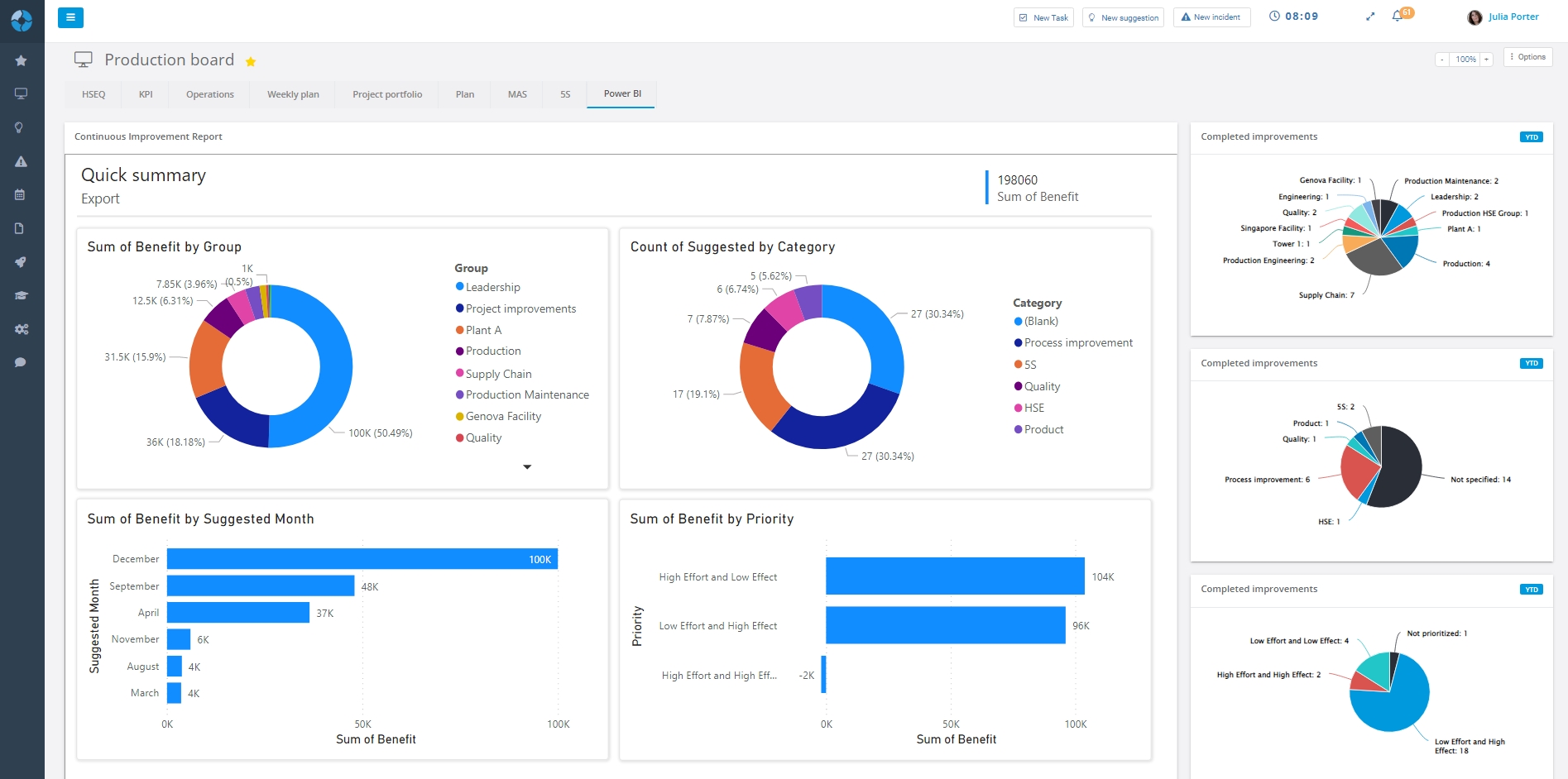
Many companies have already utilized some digital information tools available to them. One of the most common platforms is Power BI. This gives the companies better insight in their KPIs and other metrics, helping them to manage their operations with data-based decisions.
One of the limitations of Power BI is the lack of task management. Companies turn to DigiLEAN to get a more holistic lean- and visual management system, but want to retain Power BI because they have invested in it, so can Power BI be integrated in the interactive DigiLEAN boards?
Data visualization, reporting and dashboards is only a small portion of DigiLEAN. But it’s also the only commonality between DigiLEAN and Power BI. These two systems have different purposes, and it’s important to understand how they differ from each other.
| Purpose | PowerBI | DigiLEAN |
|---|---|---|
| Data Processing | ✓ | |
| Data Visualization | ✓ | ✓ |
| Data Analysis | ✓ | ✓ |
| Daily Performance Management | ✓ | ✓ |
| Interactive Shop Floor Management | ✓ | |
| Task Management | ✓ | |
| Improvement Management | ✓ | |
| Incident Management | ✓ | |
| Problem-Solving | ✓ | |
| Project Management | ✓ | |
| Strategy Deployment | ✓ |
By not choosing one or the other. Combine the two tools and utilize their strengths together.
A prerequisite is that you have a version of Power BI with the capability to publish your reports.
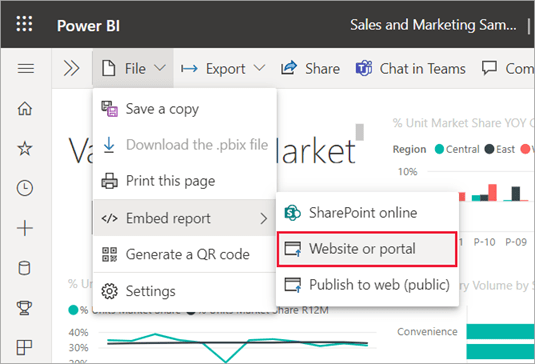
In your Power BI report, click File > Embed report > Website or portal.
Copy the link to your clipboard.
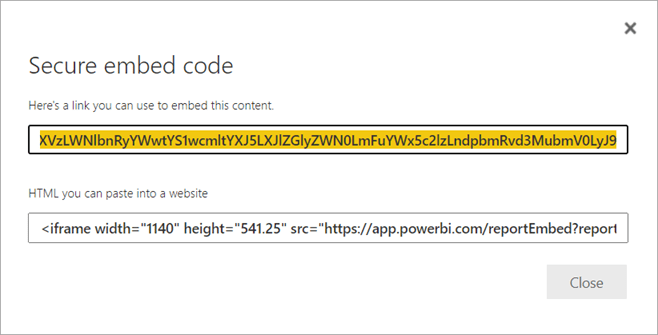
Paste the link to your DigiLEAN board using the “web content” app.
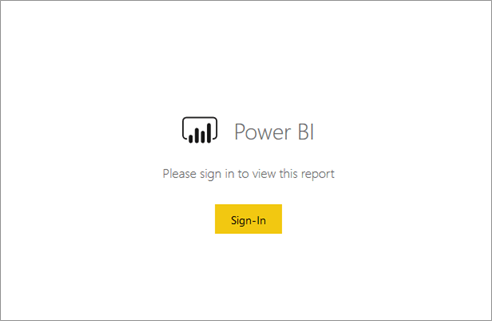
Note: A secure sharing of the Power BI reports require user authentication. A login prompt appears in the embedded view.
The boards in DigiLEAN can be designed with any combination of functions to support your daily management.